THE CHAIR STORY
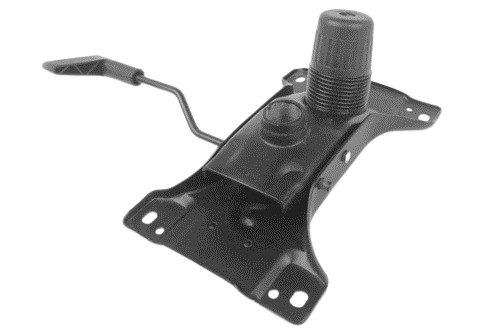
When most people evaluate an office chair, they look at the upholstery, the silhouette, maybe the brand badge. The single component that actually determines whether that chair will be comfortable for eight hours a day, five days a week, is hidden under the seat pan — in the mechanism.
This is the metal control box that connects the seat to the gas cylinder and governs everything that happens
Two chairs can look identical from across a showroom floor and behave completely differently the moment someone sits in them for a real workday.
Let us understand the mechanisms by breaking down their families, the advanced control features layered on top of them, and the armrest/lumbar/backrest architecture that has to be specified alongside the mechanism — so that whoever is writing a chair specification knows exactly which question to ask for which application before selections.
Before comparing types, it helps to know what’s actually inside that metal housing:
| Pivot point | The axis around which the seat and/or backrest rotate. Its location is the single biggest driver of comfort — it determines whether your feet lift off the floor, whether your thighs get compressed, and how the recline feels. |
| Tension control | A knob (usually under the front or side of the seat) that adjusts spring resistance so recline force matches the sitter’s body weight. Without it, a light user floats backward uncontrollably and a heavy user can’t recline at all. The automatic version of this — sometimes built into the control mechanism — is called AWSM (Automatic Weight Sensing Mechanism). |
| Backrest locks | Tilt lock freezes the backrest at a chosen angle (some backs come fixed and can’t be adjusted at all). Multi-position locks allow 3–5 fixed angles. Infinite lock mechanisms allow locking anywhere within the travel range. |
| Recline range | Typically 90°–127° on task chairs, occasionally to 135°+ on chairs marketed for “rest” postures. |
Everything below is a variation on how these four elements are combined.
There are five core mechanism families in commercial use today, plus a sixth “smart” category that’s becoming increasingly common in the mid-market. They are presented here roughly in order of mechanical complexity and ergonomic sophistication — not in order of universal superiority, because the correct mechanism is always task-dependent.
Simplest, cheapest, fewest moving parts; very low maintenance; predictable feel for short-duration sitting
Poor for any meaningful recline; thigh-pressure and “falling backward” sensation increase with angle; not BIFMA/EN ergonomic-tier recommended for 8-hour task use
Visitor chairs, training-room/collaborative seating, short-dwell-time stations, low-cost task chairs where recline isn’t part of the job
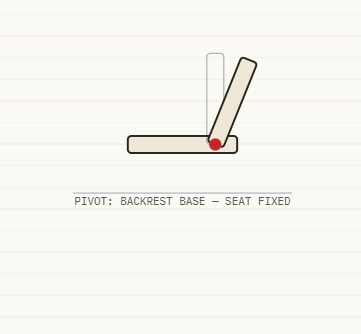
There are actually two related sub-types that both fall under this category and has common usage:
b-1. Discrete back-tilt mechanism: A separate lever allows only the backrest to recline while the seat pan stays level and fixed. Common on “Boss”-style high-back leather executive chairs with a single recline lever and a fixed seat.
b-2. Flexible-back (“passive flex”) design: There is no mechanical hinge at all — the backrest itself (a moulded shell, mesh frame, or sprung steel plate) flexes elastically under the sitter’s weight. This is technically not a “mechanism” in the gear-and-lever sense, but functionally behaves like one, and it’s extremely common in budget mesh task chairs, stools, and conference chairs.
Seat stays level and stable (good for typing/keying tasks, no thigh-pressure issue); flexible-back variants are inexpensive and maintenance-free (no mechanism to wear out)
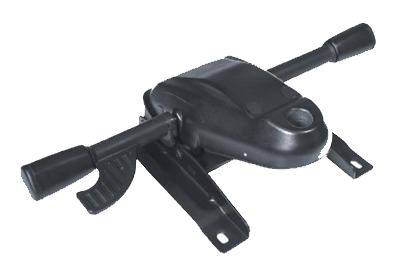
How it works:
The pivot is relocated from the seat centre to just behind the knees, near the front of the seat.
Ergonomic effect:
Because the pivot sits ahead of the body’s centre of mass, most of the sitter’s weight stays behind the pivot at all times. The front of the seat stays nearly level through the recline, feet stay planted on the floor, and the recline initiation feels smoother and more natural than centre tilt.
Wide-angle recline without the seesaw effect; feet remain grounded even at deep recline angles; gives a more “executive” feel to the recline motion
The mechanism’s front-mounted geometry conflicts with seat-depth-adjustment hardware, so knee-tilt chairs typically cannot offer adjustable seat depth; fewer fine-tuning options than synchro
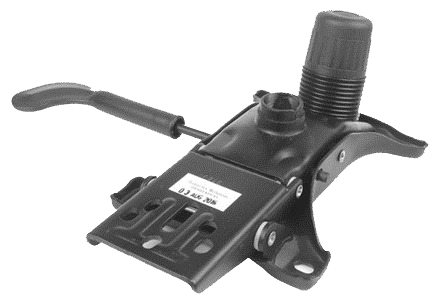
How it works: Critical differentiating factors
Backrest and seat pan are mechanically linked but move at different rates, almost always a fixed ratio around 2:1 to 2.5:1 (some claim even up to 3:1). For every 10° of backrest recline, the seat tips back only 4–5°.
Ergonomic effect:
This directly solves the “seat-pan rise” problem that plagues centre tilt. Because the seat moves much more slowly than the backrest, the thighs stay nearly level and the feet stay planted, while the backrest still delivers a generous recline and continuous lumbar contact. This is the mechanism most ergonomics literature and most mid-to-high-end commercial chair ranges treat as the default “good” choice for serious task seating, because it supports dynamic sitting — the chair moves continuously with the body rather than only in discrete steps.
A frequent companion feature is the waterfall seat edge — a front edge that curves downward rather than meeting the underside of the thigh at a hard angle, further reducing pressure on the popliteal area during recline.
More expensive gearing (precision-machined ratio linkages); tension knob must still be set correctly per user or the mechanism feels either too loose or too stiff. AWSM is a much-desired option here.
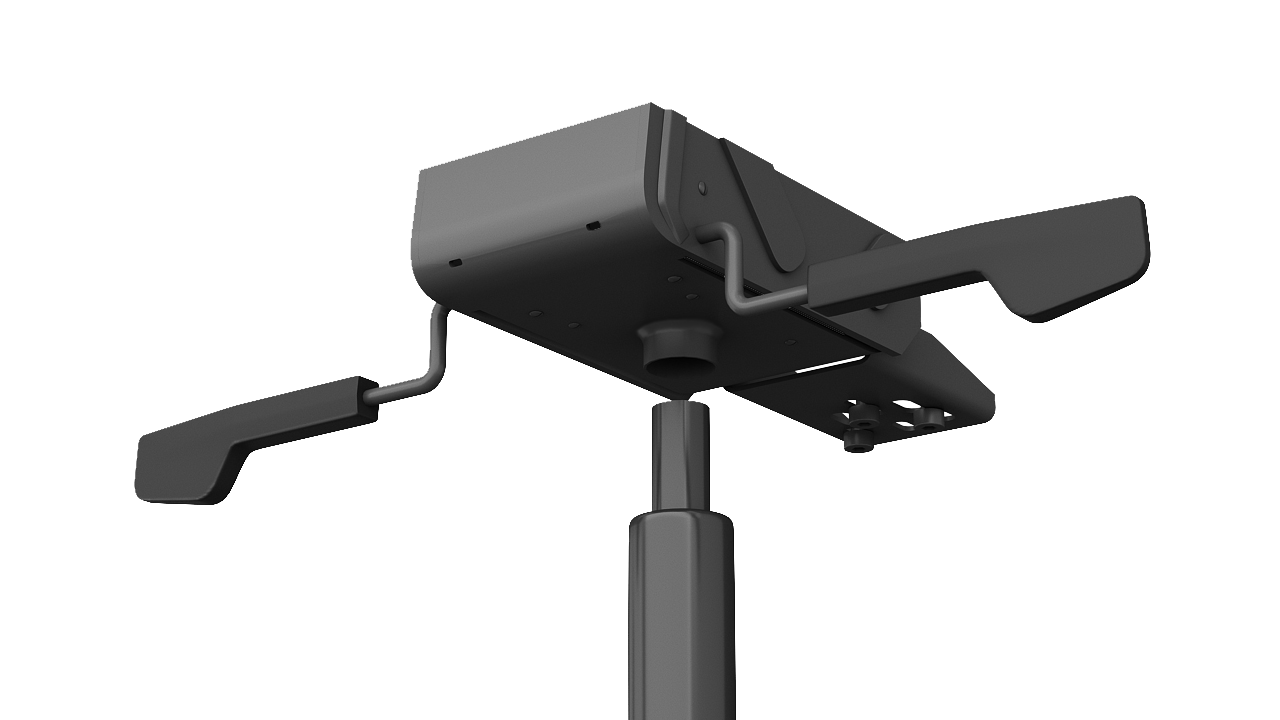
How it works: Instead of a manual tension knob, these mechanisms use either a calibrated spring/cam system or (less commonly) an electronic load sensor to automatically match recline resistance to the sitter’s body weight and lean direction the moment they sit down. There is no tension knob to fiddle with — the chair “just works” for whoever sits in it.
This category goes by many names depending on the manufacturer and region: Auto Weight Sensing Mechanism (AWSM) is the term most widely used in the Indian and broader South/Southeast Asian commercial seating market; Western manufacturers describe functionally similar systems as “self-weight,” “weight-activated,” “gravity mechanism,” or branded names (e.g., “Intelli-Adapt”-type naming conventions seen across several Indian ergonomic-chair brands). Mechanically these split into two camps:
Ergonomic effect: Removes the single biggest failure point in shared/hot-desk seating — most people never touch the tension knob even when it’s available, so an unset synchro chair frequently performs no better than a centre-tilt chair in practice. Auto-sensing mechanisms guarantee correct resistance from the first sit, every time, for every body type, with zero training required.
Zero adjustment burden — critical where chairs are shared across shifts/desks; consistently correct tension regardless of staff turnover; reduces helpdesk/facilities complaints about “the chair feels wrong”
No fine override for users at the extreme ends of the weight range; mechanically more complex (and historically more expensive) than a basic manual synchro, though pricing has compressed significantly in the mid-market over the last several years; harder to service/repair in the field than a simple tensioner
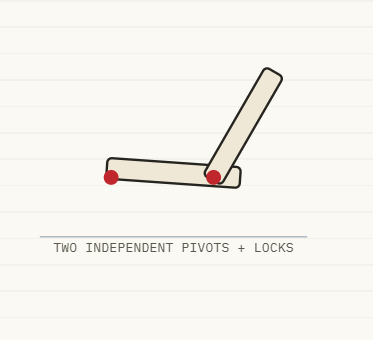
How it works: Seat and backrest recline independently of each other, each with its own lock. Some versions also allow the seat itself to be locked at a slight negative (forward-sloping) tilt of around 5°, opening the hip angle to roughly 100°–110°.
Ergonomic effect: This is, on paper, the most ergonomically complete mechanism, because it lets a user dial in the exact seat angle and exact backrest angle independently — useful for tasks that benefit from a forward-tilted, “perched” posture (drafting, fine motor work) as well as deep, locked-in recline for reading or phone calls. A forward-sloping seat is associated by OSHA-aligned ergonomic guidance with improved lower-limb blood flow and reduced lumbar disc pressure versus a flat seat.
Most fiddly to operate — finding the ideal combination is often a 2–3 step process with multiple levers; poor choice for hot-desking or any environment where users won’t take the time to adjust
Orthopaedic/ergonomic-intervention seating, executive desks where the same person sits 10+ hours daily and is willing to invest the setup time, CAD/drafting and other tasks needing a forward-tilted seat
| Mechanism | Pivot Location | Feet Stay Planted? | Thigh Pressure on Recline | Dynamic Sitting | Cost Tier | Seat-Depth Compatible |
|---|---|---|---|---|---|---|
| Centre tilt | Seat centre | No | High | No | X | Yes |
| Back tilt (discrete) | Backrest only | Yes | None (seat fixed) | No | X – 1.5X | Yes |
| Back tilt (flexible/passive) | N/A (material flex) | Yes | None | Limited | X | Rarely |
| Knee tilt | Front of seat | Yes | Low | Partial | 2X | No |
| Synchro tilt | Linked, ratio-driven | Yes | Low | Yes | 2X | Yes |
| Multi-function / asynchronous | Independent seat + back | Yes | Adjustable | Yes (manual) | 3X | Yes |
| Weight-sensing / AWSM | Usually synchro-based | Yes | Low | Yes (automatic) | 2X | Often yes |
| Tension Adjustment | Manual knob calibrating recline resistance to body weight. Look for a clearly marked, easily reachable knob; in BIFMA-tested commercial chairs the adjustment range should comfortably span light and heavy users without bottoming out. |
| Multi-position vs. Infinite Tilt Lock | Multi-position locks (typically 3–5 fixed stops) are cheaper and more durable; infinite locks allow locking anywhere in the travel range, valuable for users who want a specific micro-angle (e.g., 105° rather than 90° or 110°). |
| Seat Depth Adjustment (Slider) | Independent of the tilt mechanism, this lets the seat pan slide forward/backward (commercial-grade chairs typically offer 50–80 mm / 2–3 inches of travel) so the backrest contacts the lumbar correctly regardless of the user’s thigh length. Note: this feature is mechanically difficult to combine with knee-tilt mechanisms. |
| Forward / Negative Seat Tilt | Allows the front of the seat to dip slightly below horizontal, opening the hip angle for tasks needing a forward lean. Most commonly associated with multi-function mechanisms, though some synchro mechanisms also offer a limited forward-tilt feature. |
| Gas Lift Cylinder Class | Not a tilt feature but inseparable from mechanism specification. Commercial seating standards reference Class 3 and Class 4 gas lifts, with Class 4 being the higher-rated, more durable option generally specified for 24/7 or multi-shift commercial use. |
| Bariatric / Large-Occupant Rating | Standard mechanisms are engineered to ANSI/BIFMA X5.1 reference populations (up to approximately 125 kg / 275 lb). For heavier-duty applications, specify chairs tested to ANSI/BIFMA X5.11 (up to approximately 181 kg / 400 lb) rather than assuming a standard mechanism will withstand long-term use. |
Armrests are frequently treated as an afterthought in specification, but BIFMA’s own ergonomics guideline (G1-2013) is explicit that the hands and arms represent roughly 12% of total body mass, and unsupported, that weight transmits directly into the neck, shoulders, and upper back over a working day.
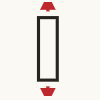
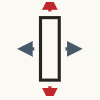
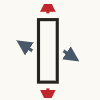
Industry terminology here is not fully standardized — different manufacturers attach slightly different definitions to “2D/3D/4D,” so a specifier should always confirm the actual degrees of freedom rather than relying on the marketing label alone. The most common convention:
Some additional handrest mounting designs which are often overlooked provide ideal solutions for specific applications are:
(the majority of chairs) are bolted to the seat pan or mechanism housing. As the backrest reclines independently in a synchro or multi-function mechanism, the relative angle between the armrest and the user’s reclining torso changes — the arms can end up unsupported or awkwardly positioned at deep recline angles.
attach to the backrest frame itself rather than the seat, so they travel with the backrest through the full recline range. This maintains a constant, correct arm-support angle from upright to fully reclined — a design philosophy seen in several premium ergonomic ranges (e.g., chairs built around a “gravity”/weight-sensing recline, where the arms are deliberately frame-mounted so dynamic recline doesn’t strand the user’s arms mid-motion).
| Type | Advantages | Disadvantages |
|---|---|---|
| Fixed Armrests | Lowest cost; no moving parts to fail; stable for high-traffic/heavy-use seating (reception, conference, guest chairs); cleaner aesthetic for executive cabins | One-size-fits-all; can collide with desk edges, forcing slouched posture or a chair pushed too far back from the desk |
| Adjustable (2D–4D) Armrests | Accommodates the full intended user population (BIFMA G1-2013 recommends covering 5th-percentile female to 95th-percentile male); reduces shoulder/wrist strain; necessary for genuinely shared, multi-user seating | More moving parts = more potential failure points and maintenance; cost increases meaningfully from 2D → 4D (premium 4D options can run materially higher than fixed-arm equivalents) |
| Back-Mounted Armrests | Constant correct arm support through full recline travel; pairs naturally with synchro and weight-sensing mechanisms used for dynamic sitting | Less common, fewer suppliers; can complicate desk-tucking/stacking in some designs |
Elbows should rest at roughly 90°–110° with shoulders relaxed, forearms level with the desktop. If the chair will sit at a single fixed desk with a single regular user, 3D adjustability is usually sufficient. If the chair is shared, hot-desked, or used by a workforce with a wide range of body sizes, 4D (or back-mounted, if recline depth is also a priority) earns its premium.
Separate pillow or strap-on pad
Procurement specifications commonly reference backrest categories that map loosely to EN 1335’s chair-type classification and BIFMA usage conventions:
| Low-Back | Typically under 14 inches of backrest height. Common on task and operator chairs, prioritizing shoulder mobility and a compact footprint. |
|---|---|
| Mid-Back | Roughly 14–22 inches in height. The most common all-purpose specification, balancing lumbar and mid-back support with adequate desk clearance. |
| High-Back (With or Without Headrest) | Above approximately 22 inches. Supports the upper back, shoulders, and, when equipped with a headrest, the cervical spine. Best suited for users who recline frequently, such as executives or call-center staff during break-recline postures. Headrests provide limited value for chairs used only in an upright task position. |
This is the part that actually answers “what should I specify, and for what?” — combining everything above into application-based recommendations.
| Application | Recommended Mechanism | Armrest Specification | Lumbar / Backrest | Key Standard to Confirm |
|---|---|---|---|---|
| Hot-Desk / Open-Plan, Multi-User | Weight-Sensing / AWSM Synchro | 3D–4D (must self-adjust quickly per user) | Dynamic mesh or height + depth adjustable lumbar | BIFMA G1-2013 range coverage |
| Single-User Task / Operator (8+ Hours) | Synchro Tilt | 3D or 4D, or back-mounted if deep recline is routine | Height + depth adjustable lumbar, mid-to-high backrest | ANSI/BIFMA X5.1 |
| Executive / Cabin | Knee Tilt or Discrete Back Tilt | Fixed or 2D (aesthetic priority over adjustability) | High-back with headrest, fixed or height-adjustable lumbar | ANSI/BIFMA X5.1 (X5.11 for heavier-build users) |
| Conference / Boardroom | Centre Tilt or Knee Tilt | Fixed (consistent visual line across many chairs) | Mid/High-back with fixed lumbar support | EN 1335 Type B or equivalent |
| Call Centre / BPO, 24×7 Multi-Shift | Weight-Sensing / AWSM Synchro, Heavy-Duty | 3D armrests with durable mounts | Dynamic or height + depth adjustable lumbar, mesh backrest for breathability | ANSI/BIFMA X5.1, Class 4 Gas Lift, High Cycle-Test Ratings |
| Training Room / Collaborative / Visitor | Centre Tilt or Flexible Back-Tilt | Fixed | Low/Mid-back with fixed lumbar support | Basic BIFMA X5.1 Compliance |
| Healthcare / Cleanroom Admin | Synchro or Knee Tilt with Wipeable Materials | Fixed or Simple Adjustable, Easy-Clean Design | Fixed or Simple Height-Adjustable Lumbar | BIFMA HCF 8.1 Cleanability + ANSI/BIFMA X5.1 |
When evaluating a chair range — whether from SOS or any other manufacturer — these are the questions that actually separate a well-engineered ergonomic chair from a chair that simply looks ergonomic:
Download Brochures
Download Brochures
Download Brochures
Download Brochures
Download Brochures
Download Brochures
Download Brochures
Download Brochures
Download Brochures
Download Brochures
Download Brochures
Download Brochures
Download Brochures
Download Brochures
Download Brochures
Download Brochures
Download Brochures

Kirit JoshiCo-Founder & Director – Spacewood
Kirit Joshi, a natural entrepreneur with a mechanical engineering degree from VNIT Nagpur and a couple of years of experience in the modular furniture industry, co-founded Spacewood Furnishers Pvt. Ltd. in 1994 as a Director along with his college mate Vivek Deshpande. Later in 2011, he co-founded Spacewood Office Solutions Pvt. Ltd, where he plays a role as Director, apart from other group companies. Starting as a small establishment with a 2000 sq.ft. space; 10 workers and a modest investment, Kirit Joshi’s hard work and determined entrepreneurship helped to take the company past the 100 Crore mark in just about ten years and eventually become a market leader.

Vivek DeshpandeCo-Founder & Director – Spacewood
Vivek Deshpande, a mechanical engineer from VNIT Nagpur started his career in the modular furniture industry, but quickly found that his true calling in establishing a manufacturing unit of his own. Eventually, he teamed up with his college mate Kirit Joshi and he jointly set up Spacewood Furnishers Pvt. Ltd. in 1994 as a Director. Later in 2011, he co-founded Spacewood Office Solutions Pvt. Ltd, where he plays a role as Director, apart from other group companies. His keen skills and intuition and the decisive push into a nascent industry in India (at that time), gave him and the company a first-mover advantage and these factors contributed greatly to the rapid growth and emergence of Spacewood Furnishers Pvt. Ltd. as a giant player in the modular home furniture business over the last two decades.
Nitin SudameFounder & Managing Director SOS
Nitin, an entrepreneur, founded Spacewood Office Solutions (SOS) in 2011, leading it to prominence in the office furniture segment. With over 34 years of industry experience, including roles at leading companies like Thermax Ltd. and Blow Plast Ergonomics Ltd. (BPEL), Nitin’s expertise in material management and logistics has been instrumental. As Director of Spacewood Furnishers and co-founder of SOS, he prioritizes employee development and fosters a strong company culture. Under his leadership, SOS has become one of India’s fastest-growing modular office furniture companies, driven by his ability to build high-performance teams and nurture enduring client relationships.